Applied
Log an application in fifteen seconds and see the whole pipeline on one screen — without an account.
What does it do?
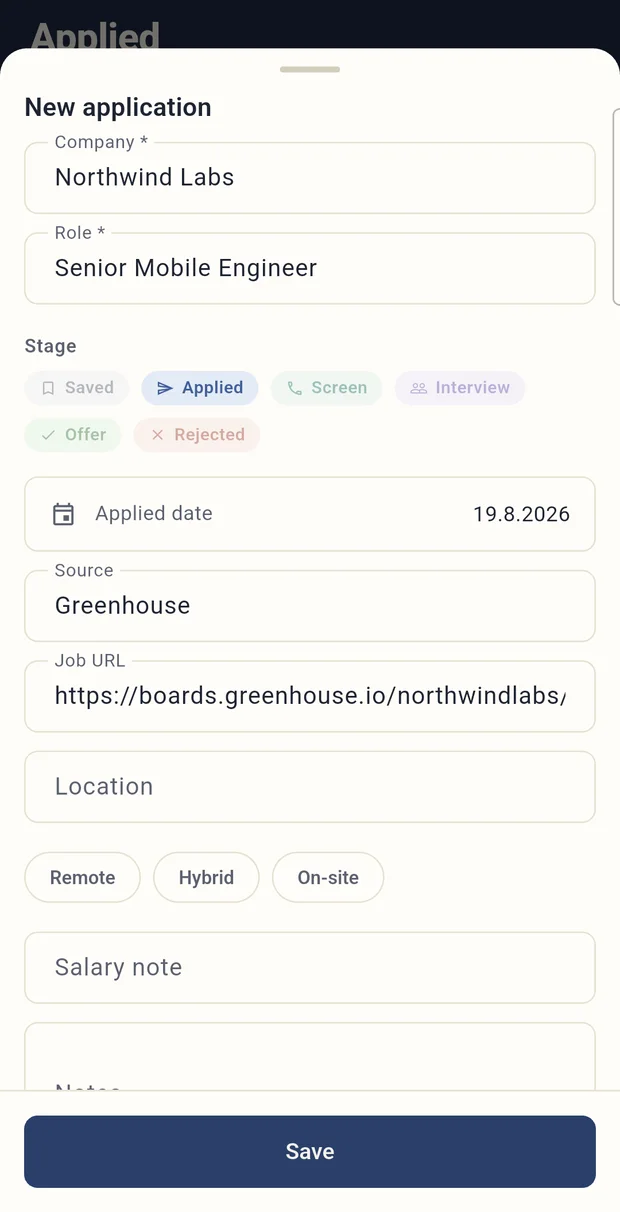
Applied is a job application tracker. You share a posting from LinkedIn, Indeed or any other site, and the app reads the title and fills in the company and the role by itself. That is why logging an application takes about fifteen seconds.
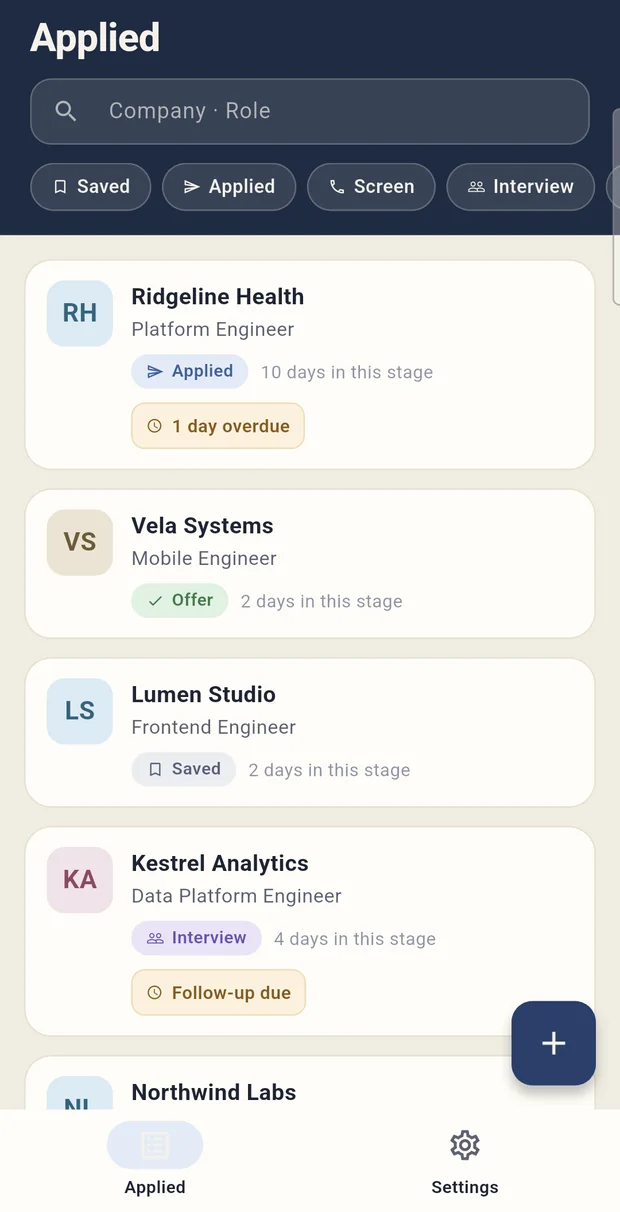
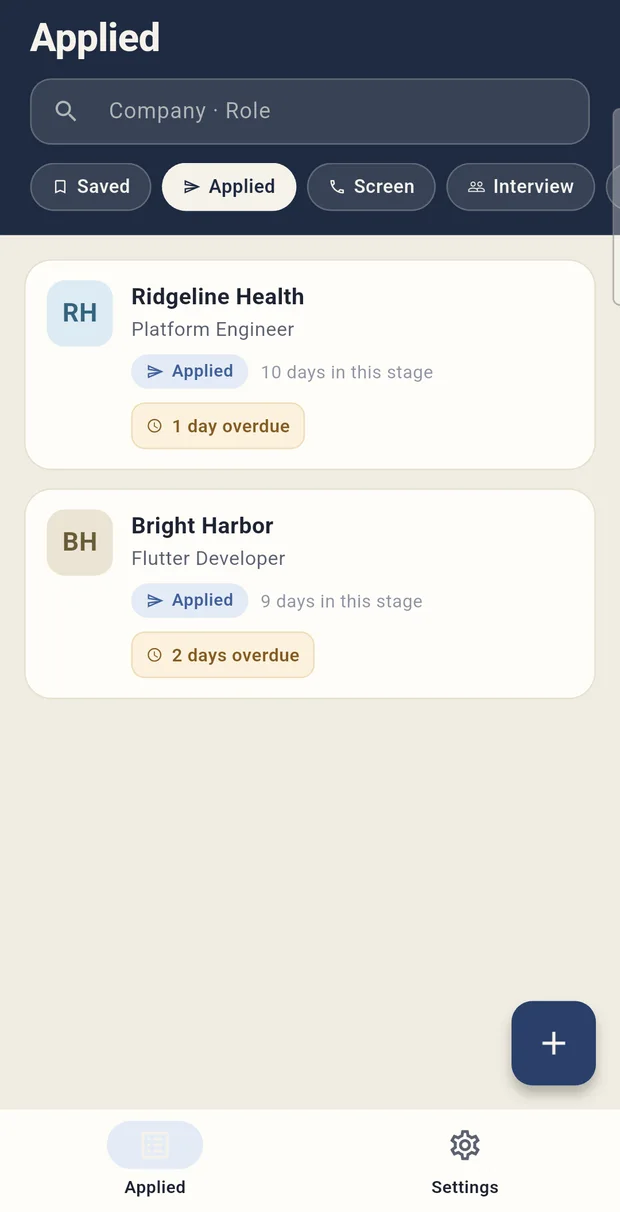
There are six stages from Saved to Rejected. Every card says how many days it has been sitting where it is — “Applied · 10 days in this stage”. Records whose follow-up is due or overdue are flagged, and a single daily reminder covers all of them at once.
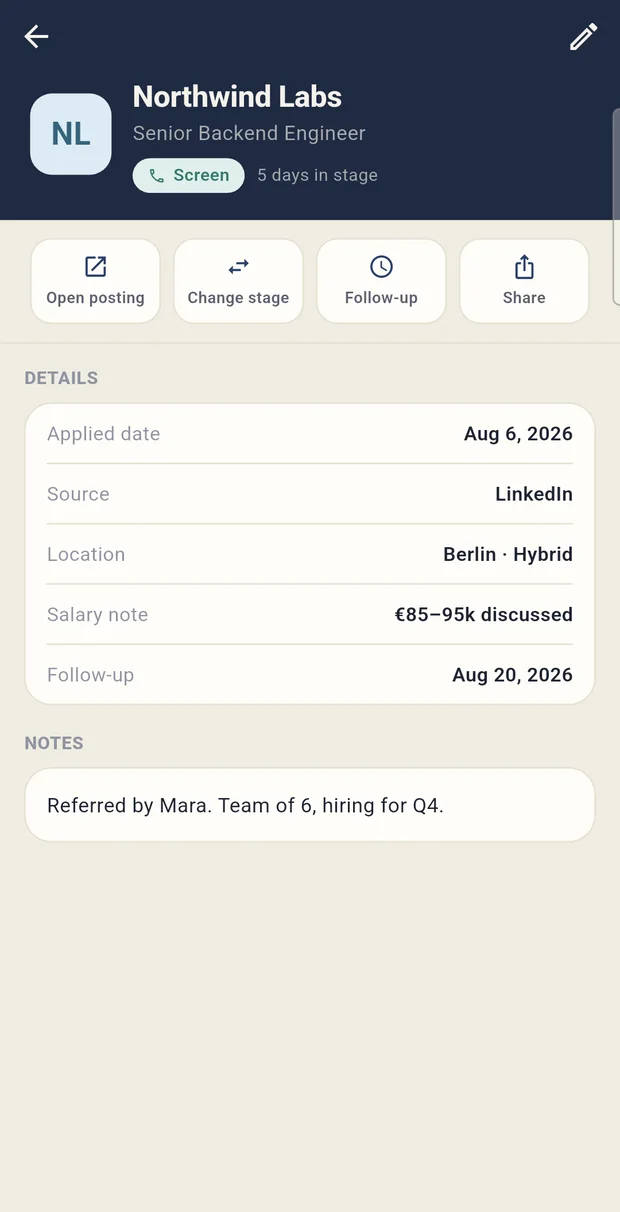
The detail screen holds the source, location, a salary note, the follow-up date and free-form notes. The list can be searched by company and role, and filtered by stage.
Screens
How does it work?
The app is written in Flutter. Data lives in an on-device SQLite database through Drift. Turkish and English are both in the first release.
No account, no server
There is no sign-in screen, no registration, and no server of mine. Everything sits in a database on the phone, and the app works completely with no connection.
Logging a record has to be almost free
Application tracking fails at exactly one place: when logging the record is tedious. If it takes a form, people stop doing it, and the tracker dies within two weeks. That is why the primary entry path is the share sheet: one tap, a pre-filled form, save.
One reminder a day
Instead of a notification per application, there is one a day and it covers every follow-up due that day. The goal is not to get the notifications switched off.
No accounts. A list of job applications is some of the most sensitive data a person has: where they applied, what salary they discussed, which interview they were cut from. Keeping that on a server does nothing for the user and brings me nothing but liability.
The cost is no sync between devices. Records live on the phone, so changing phones means moving a backup — a deliberate trade.
One reminder a day. A notification per application means ten notifications a day during an active search, and the outcome is that notifications get turned off entirely.
A single daily reminder carries every follow-up due that day. Fewer notifications, more of them actually opened.
Under the hood
Details
- Status
- Live on the App Store and Google Play
- Stages
- Saved · Applied · Screen · Interview · Offer · Rejected
- Account
- None — no sign-in, no registration, no server
- Offline
- Fully functional; data lives in an on-device SQLite database
- Languages
- Turkish and English
Frequently asked
How do I add an application?
On the page with the posting you hit share and pick Applied. The app reads the title and fills in the company and role fields; you check them and save. Adding one by hand also works.
Do I need an account?
No. There is no sign-in screen, no registration and no server; everything sits in a database on your phone.
Does it work without a connection?
Yes, completely. Because the data is stored on the device, every function works offline.
How many notifications does it send?
One a day. Every application whose follow-up is due that day is collected into a single reminder; there is no notification per application.
Where can I get it?
It is live on both the App Store and Google Play; the buttons on this page go straight to the store listing.